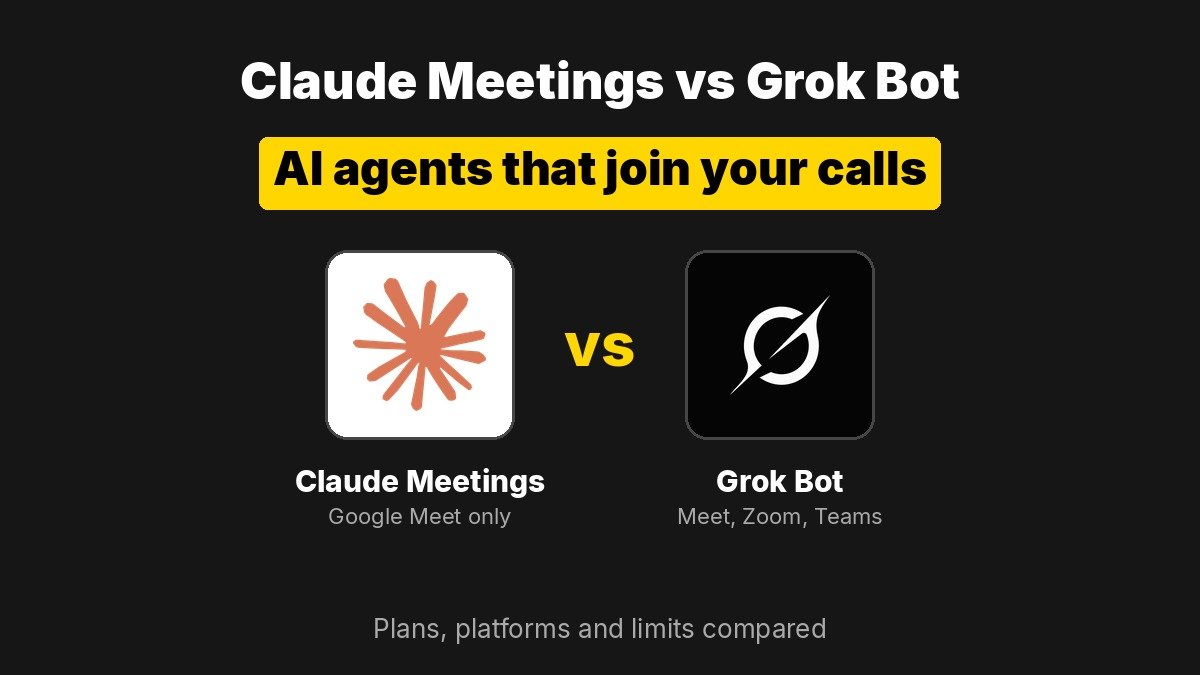
Short answer: Anthropic and xAI both shipped AI agents that join your video calls this week. Claude Meetings works only in Google Meet for now and is in beta on Claude Team and Enterprise plans, where it builds docs and whiteboards live while people talk. Grok Bot meetings work in Google Meet, Zoom and Microsoft Teams on xAI’s Super, Ultra, Team and Enterprise plans, and focus on notes, chat answers and follow up work after the call. If your team lives in Zoom or Teams, Claude is not an option yet.
What did Anthropic and xAI launch?
Anthropic’s announcement says Claude can now join a video call as a visible participant, follow the conversation and start work during the meeting. People can ask it questions out loud or in the meeting chat, and it answers in writing by default. It can also build docs, whiteboards and slides with the team while the call is still running, then leave a meeting page with notes, action items, the transcript and everything it made. Anthropic’s launch post on X passed 5.9 million views.
xAI followed with meetings for Grok Bot, its persistent assistant that has its own cloud computer and memory. According to xAI’s meetings docs, a Bot can join Google Meet, Zoom or Microsoft Teams calls, listen, take notes, answer questions in the meeting chat, and send a summary and action items when the call ends. The official @bot account pitched it as a teammate you can “ask questions, assign work, or have it keep track of what your team decides.”
How do Claude Meetings and Grok Bot meetings compare?
| Claude Meetings | Grok Bot meetings | |
|---|---|---|
| Status | Beta | Live now on listed plans |
| Video platforms | Google Meet only, more “coming soon” | Google Meet, Zoom, Microsoft Teams |
| Plans | Claude Team and Enterprise | Super, Ultra, Team, Enterprise and equivalent legacy plans |
| Entry price | Team seat from $20 per user per month billed annually, $25 monthly | Super at $100 per month for individuals |
| How it joins | Add Claude from your connected Google Calendar, or turn on auto join | Paste the meeting link in chat and approve, or let a calendar following Bot join on its own; the host admits it |
| In call output | Live docs, whiteboards, slides and other artifacts teammates can edit | Chat answers and tracked decisions; summary and action items after the call |
| Uses your tools | Yes, with each person’s permission | Yes, follow up work across connected apps such as Slack, Gmail and GitHub |
| Extra cost | Notes, transcripts and answers free in beta; tool use counts toward plan usage | Draws on the plan’s weekly usage pool; top ups beyond that |
What does Claude Meetings do differently?
The standout is live artifacts. Say “Claude, make a doc” or “Claude, make a whiteboard” and it starts one, attaches it to the meeting page, and teammates on the invite can refine it as the discussion moves. In Anthropic’s own planning example, Claude drafts an event plan from the conversation, asks permission to look up last year’s spend in a connected tool, then posts the figure in chat and compares it with the new plan.
The Help Center guide spells out the controls:
- On Team plans, inviting Claude is on by default and an owner can turn it off. On Enterprise, an owner turns it on for all or part of the organization.
- You can set auto join for all meetings or all except one on ones. Owners cannot set auto join for you.
- When someone asks out loud for a connected tool action, Claude confirms who is speaking each time.
- Claude can stay up to eight hours and warns you before it leaves.
- TechCrunch reports it will not join calls with external guests unless an admin allows it, and it leaves if an external guest joins.
Pricing during the beta: notes, transcripts and in call answers are free on Team and Enterprise, unless an answer uses a connected tool, which counts toward plan usage. Docs, whiteboards and other artifacts made in a call are free until February 2027. Anthropic has not said what they will cost after that.
What does Grok Bot do differently?
Grok Bot’s edge is reach. It works in all three major video platforms on day one, which matters for any company that is not standardized on Google Workspace. It joins under its own label, shown as the Bot’s name followed by “transcribing”, so it cannot sit in your stand up pretending to be you.
The workflow leans on what happens after the call. The Bot sends a summary and action items in its chat, can put a longer report on a page, and can pick up assigned work across the apps it is connected to. A “Disable Interactivity” setting keeps it listening and taking notes without answering in the call. On Enterprise, admins turn meetings on or off for everyone’s Bots under Bot Capabilities in the team dashboard.
Plan access caused confusion at launch. The Grok Bot changelog and docs list Team, Enterprise and Ultra, while the @bot launch thread added Super. Premium at $30 per month is not listed, so Premium users should not expect it. Long calls are a lot of text for a model to process, and some users reported burning through their weekly usage quickly; that is anecdotal, but worth watching on the usage pricing page before you turn on auto join for every meeting.
Which one should your team use?
- Google Workspace teams already paying for Claude: Claude Meetings is the easier pick, and the live doc and whiteboard building is the most useful thing either product does inside a call.
- Zoom or Microsoft Teams shops: Grok Bot is the only one of the two that can join today.
- Regulated organizations: Claude Meetings is not available during the beta for organizations using zero data retention, HIPAA ready configuration or customer managed encryption keys. Check your own compliance terms with either vendor before recording calls.
- Solo builders and freelancers: Claude Meetings needs a Team or Enterprise plan. Grok Bot needs at least the $100 Super plan. Neither is cheap if you only want transcripts, and free note takers built into Meet, Zoom and Teams may be enough.
Whatever you pick, both vendors tell you to make sure everyone on the call is fine with being transcribed. Recording consent rules vary by US state and by country, so treat that as a real requirement, not a checkbox.
What to watch next
Anthropic says support for other video platforms is coming soon, and its product lead told Axios the company expects Claude to become more proactive in meetings over time. xAI has not published a rollout schedule beyond the plan list. The real test for both will be accuracy on messy, crosstalk heavy calls and how much usage a typical week of meetings actually consumes. Those are the numbers we will be looking for once teams have a few weeks of real use.
Sources: Anthropic: Introducing Claude Meetings, Claude Help Center: Use Claude Meetings, xAI docs: Add a Bot to your meetings, Grok Bot changelog, xAI pricing, TechCrunch, VentureBeat, Axios.