
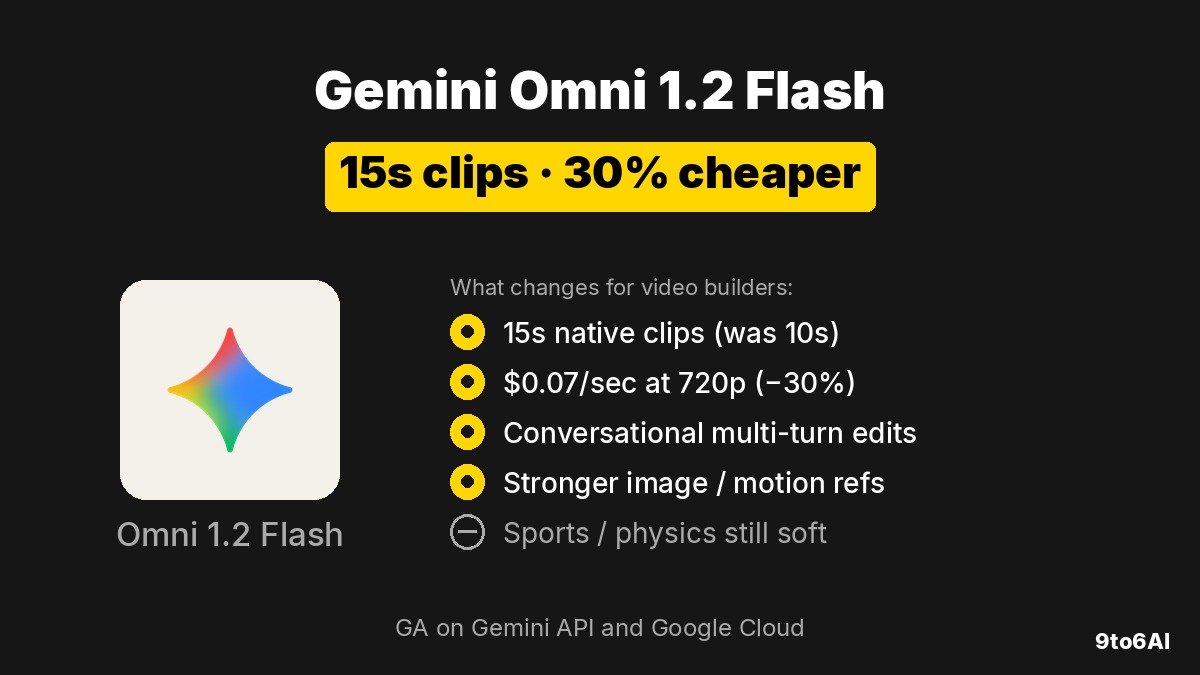
Google’s Gemini Omni 1.2 Flash is generally available on the Gemini API and Google Cloud for production video generation and editing. It raises native clip length to 15 seconds (from 10 on Omni 1.1), cuts 720p pricing 30% to $0.07 per second, and adds multi-turn conversational edits so you can refine the same clip instead of regenerating from scratch. Model id is gemini-omni-1.2-flash; outputs carry a SynthID watermark.
Key points
- Native video up to 15 seconds, selectable in 1-second increments from 3–15s (Omni 1.1 topped out at 10s).
- Price: $0.07/sec at 720p — 30% less than Omni 1.1 (~$0.10/sec); similar savings at other resolutions.
- Multi-turn conversational editing: swap product, background, lighting, weather, or aspect ratio on the same clip without a full regen.
- Stronger reference adherence for images, short motion clips (≤3s), and allowlisted audio cues — faces, garments, packaging type, and brand colors stay more consistent across angles.
- Draft at 360p or 720p, then upscale keepers to 1080p or 4K; more natural speech, lip-sync, and multi-speaker conditioning.
- GA / production-ready with Provisioned Throughput; known soft spots still improving: fast sports action, rapid script changes, complex physics.
What did Google ship in Gemini Omni 1.2 Flash?
Gemini Omni 1.2 Flash is Google’s multimodal video model for generating and editing short clips with synchronized audio. It is not a chat-model rename of Gemini 4 Argon or Carbon — Omni is the video lane. Google DeepMind and Google Cloud both describe it as generally available across the Gemini API and Gemini for business, backed by Cloud infrastructure, Provisioned Throughput, and SynthID watermarking on outputs.
The pitch is volume creative work: product spins, virtual try-ons, catalog clips, social ads, and explainers. Partners cited in Google’s Cloud post include Artlist, FLORA, invideo, Krea, Picsart, Runway, Photoroom, and QuickFrame AI — mostly tools that already sit between brand assets and finished short video.
How does Omni 1.2 Flash compare to Omni 1.1?
The upgrade is concrete on length, price, and edit loop. Numbers below are from Google’s announcement posts.
| Omni 1.1 Flash | Omni 1.2 Flash | |
|---|---|---|
| Max native clip length | 10 seconds | 15 seconds |
| Duration control | Shorter fixed range | 3–15s in 1s increments |
| 720p price | ~$0.10/sec | $0.07/sec (30% less) |
| Conversational multi-turn edit | Limited / prior workflow | Refine same clip (product, background, lighting, aspect) |
| Reference adherence | Baseline | Stronger on images, ≤3s motion, allowlisted audio |
| Draft → upscale path | Available | Draft 360p/720p, upscale to 1080p/4K |
| Status | Prior generation | GA / production-ready |
Longer clips matter for full social spots and single-shot product explainers. The price cut and draft-then-upscale path matter more for teams generating dozens of variants: cheap iterations first, pay for 1080p/4K only on winners.
What can builders do with conversational editing?
Multi-turn editing is the workflow change, not just another quality bump. Google’s examples show starting from one generated clip and swapping backgrounds turn by turn — pavilion tent, oak forest, stable, market, castle — while keeping character performance, reflections, and camera framing intact. The same pattern applies to product swaps, lighting/weather changes, and aspect-ratio flips for different placements.
That is the difference between “regen until lucky” and “lock the take, then brief the next change.” For catalog and ads teams, it means one good base clip can spawn audience or placement variants without re-briefing the whole scene.
Reference adherence is the other half. You can combine character, product, or style images with short motion clips (up to three seconds) and allowlisted audio cues. Google says faces, garments, packaging typography, and brand colors hold more consistently across camera angles — useful for virtual try-on sequences and branded ads built from existing product photography.
What are the technical limits and model details?
Cloud documentation lists model id gemini-omni-1.2-flash at GA. Practical builder constraints from the docs and blogs:
- Inputs: text, images, and video (audio references exist but are allowlisted).
- Outputs: video with synchronized audio (speech, music, sound effects supported in the model capability set).
- Length: generate/edit up to 15 seconds; output duration 3–15s (3–10s for first-and-last-frame workflows); extension adds 3–10s onto the trailing window of an input.
- Aspect ratios: 16:9 and 9:16.
- Resolutions: 360p, 720p, 1080p, 4K.
- Speech: more fluid dialogue, clearer lip-sync, and distinct multi-speaker conditioning versus prior Omni Flash.
- Camera: stronger continuous moves (FPV flythroughs, zoom-outs, orbits) with fewer unwanted jump cuts, per Google’s demos.
Google is explicit about what is still soft: fast sports action, rapid script changes, and complex physics. Treat those as known failure modes when scoping prompts, not surprises after a failed batch.
Where can you use Gemini Omni 1.2 Flash?
Rollout spans developer and product surfaces:
- Developers: Gemini API and Google AI Studio for prototypes and production calls; model id
gemini-omni-1.2-flash. - Business / Cloud: Google Cloud console and Gemini for business, with enterprise controls and Provisioned Throughput.
- Creatives in Google apps: direct scenes and multi-turn edits in Flow; 15-second clips in Google Vids at no additional cost with a Google account or Workspace subscription; Gemini app video for AI Ultra subscribers (rolling out); campaign scale in Google Ads.
Early HN discussion (item 50392118, ~302 points / 220 comments) spent more energy on Google access UX and naming confusion than on clip quality — a recurring theme for Gemini launches. For builders who already have API or Cloud access, the practical question is whether 15s + conversational edits + the 30% cut changes unit economics for catalog or ads pipelines. For Flow users, some commenters noted credit costs may not mirror the API price cut one-for-one, so check your surface’s meter before assuming the headline $0.07/sec rate.
What should builders do next?
- If you already ship short product or ad video through the Gemini API or Cloud, re-price a 15s 720p draft-then-upscale path against Omni 1.1 and measure variant cost with multi-turn edits instead of full regens.
- Rebuild one high-volume prompt family (try-on, catalog spin, or CTV-length social spot) to use selectable 3–15s duration and keep a locked base clip for conversational variants.
- Prefer 360p/720p for exploration; reserve 1080p/4K upscales for approved creatives.
- Plan around the documented soft spots — sports, rapid script changes, complex physics — and keep human review on brand-critical frames and lip-sync.
- Confirm audio-reference allowlisting if your workflow depends on voice conditioning; do not assume open audio-ref access on day one.
- If you only need occasional clips inside Workspace, try Google Vids / Flow first before wiring production API spend.
Also trending the same window, covered only as context here: Anthropic’s Claude Personal Finance via Plaid, OpenAI’s GPT-6 Cyber (drafted separately), and older chatter around Kimi K3.1 Pro weights.
What should you watch next?
- Whether Flow and Gemini app credit pricing track the API’s 30% cut, or stay on separate meters.
- Third-party side-by-sides on reference lock, lip-sync, and 15s consistency versus other video models creatives already use.
- How fast audio-reference allowlisting opens beyond early access.
- Follow-on quality updates on sports, rapid script changes, and complex physics — the limits Google already calls out.
- Whether Google Vids’ “no extra cost” 15s path becomes the default for Workspace teams that never touch the API.